
Build it like Access.
Share it like a website.
Web Access Builder gives you the tables, queries, forms, reports and VBA you already know, in a web browser. Design your database the Access way, then send your team a link. No installs, no split databases, no shared drive.
Request a hosted instance See what it does
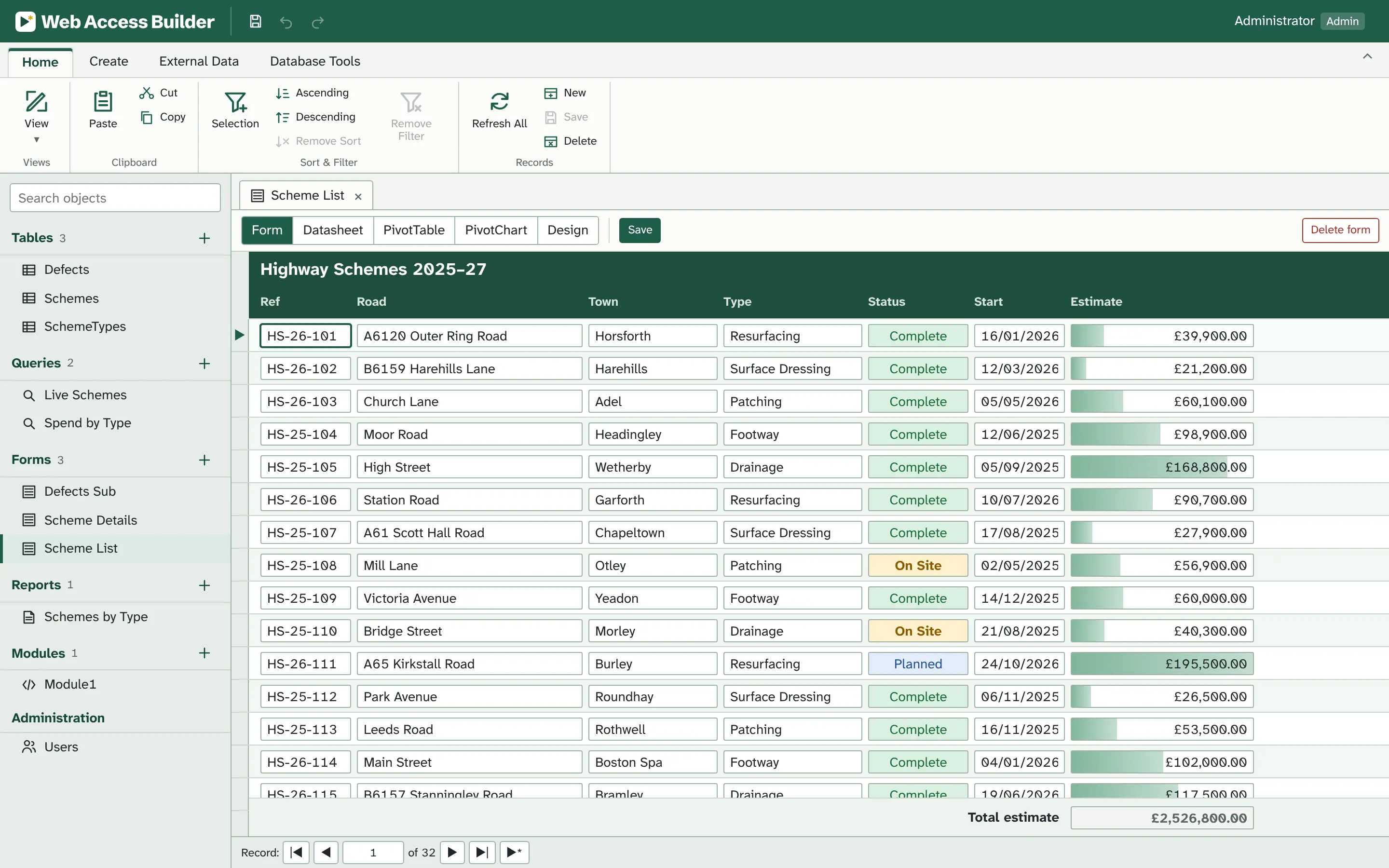
If you've built in Access, you already know it
Web Access Builder isn't a new way of working that looks a bit like Access. It's the Access way of working, kept on purpose, down to the names of things.
| In Access | In Web Access Builder |
|---|---|
| Navigation Pane | The same pane down the left: Tables, Queries, Forms, Reports and Modules, with a search box |
| Table Design view | AutoNumber, Short Text, Long Text, Number, Currency, Date/Time and Yes/No, with indexes, captions and defaults such as Date() |
| Query Design grid | Drag to join, Σ Totals, Sort, Show and Criteria rows. Between #01/01/2026# And #31/03/2026# works as you'd type it |
| SQL view | Access SQL, including IIf, Nz, DateAdd and &. Dates read day/month/year |
| Action queries | Make Table, Append, Update and Delete, with the same “You are about to update 3 row(s)” warnings |
| Forms | Single, Continuous and Datasheet views; subforms, tab controls, combo boxes and option groups; Form Header, Detail and Form Footer |
| Conditional formatting | The Access 2010 Rules Manager, data bars included |
| Reports | Report and Page Headers, group headers and footers, the Group, Sort, and Total pane, and Print Preview |
| PivotTable and PivotChart | Back as form views, after Access 2013 took them away |
| VBA editor | Form events, DoCmd, DLookup and DAO recordsets, with breakpoints, F8 stepping and the Immediate window |
Tables and queries
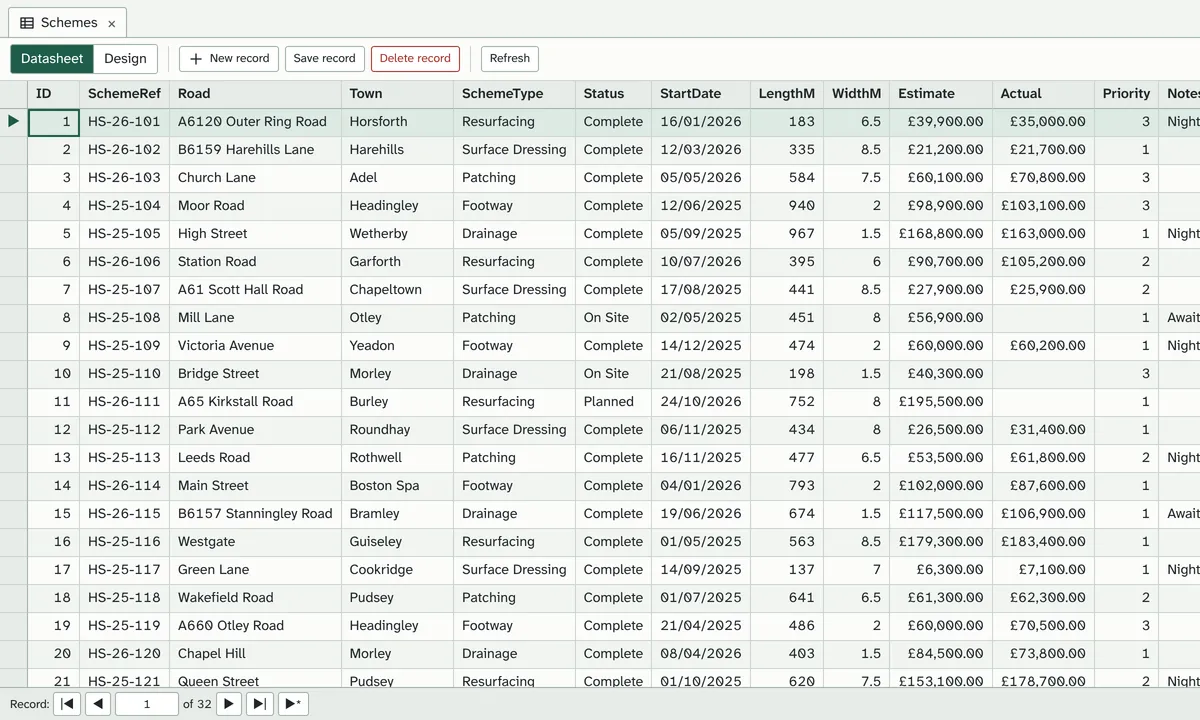
Design tables with Access's field types, then query them in the grid you've always used. Criteria are written the Access way, and SQL view speaks Access SQL.
- Number sizes from Byte to Double, Currency to four places, UK dates throughout
- Join by dragging between field lists; click a join line to make it an outer join
- Parameters in
[brackets]are asked for when the query runs - Import from .accdb, .mdb, Excel and CSV; export to Excel and CSV
Forms
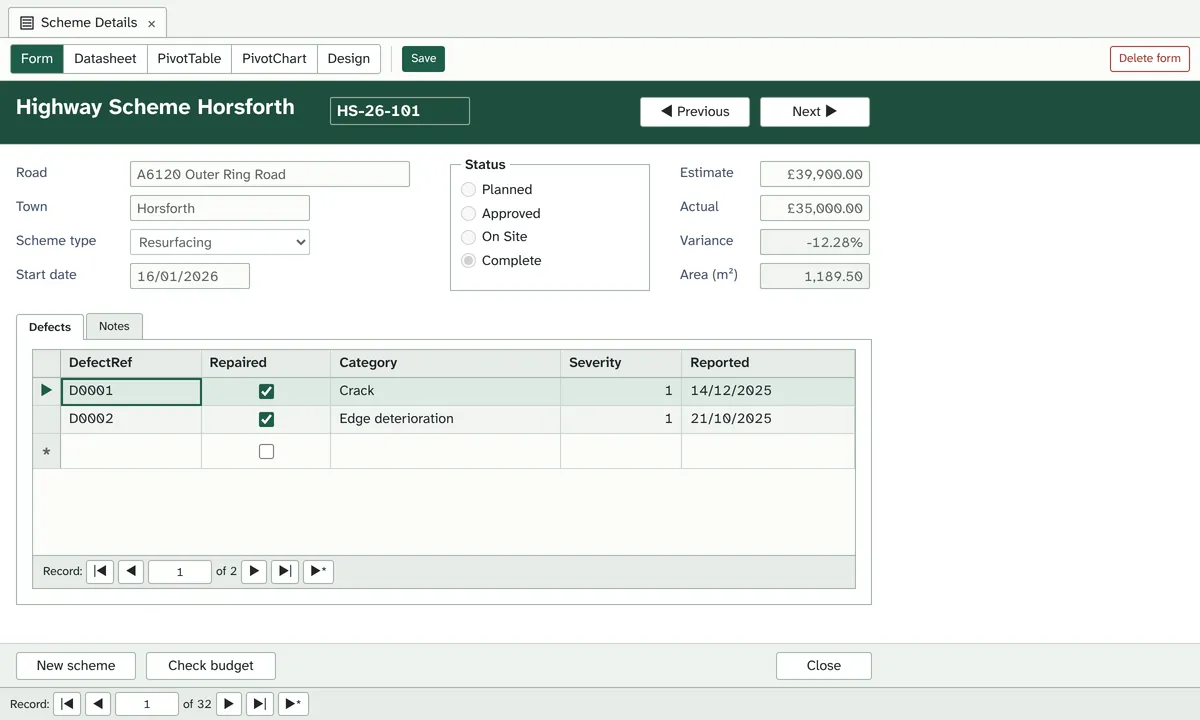
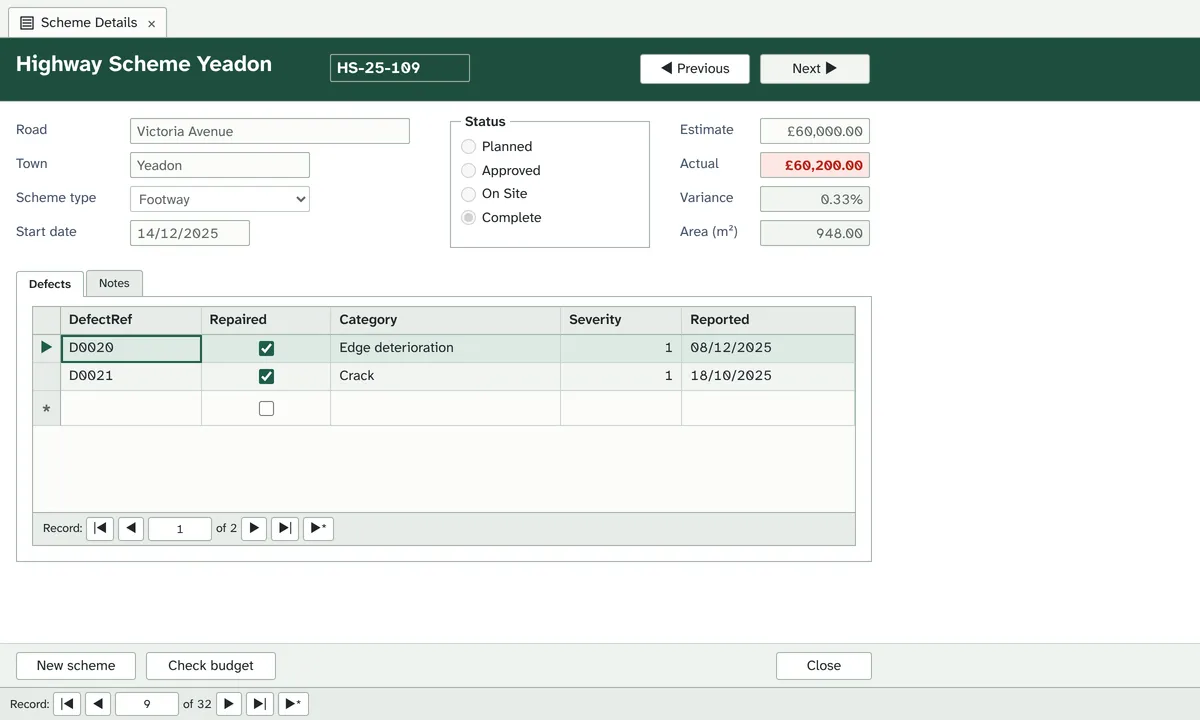
The form designer works the way Access's does: a field list to drag from, a gallery of controls, Form Header, Detail and Form Footer sections, and a property sheet for every control.
- Single, Continuous and Datasheet views, with subforms nested three deep
- Text and combo boxes, list boxes, option groups, tab controls, buttons, images and hyperlinks
- Calculated controls such as
=[LengthM]*[WidthM]and=Sum([Estimate]) - Pop-up and modal forms, anchoring, and forms that hide the ribbon to run your application
Reports
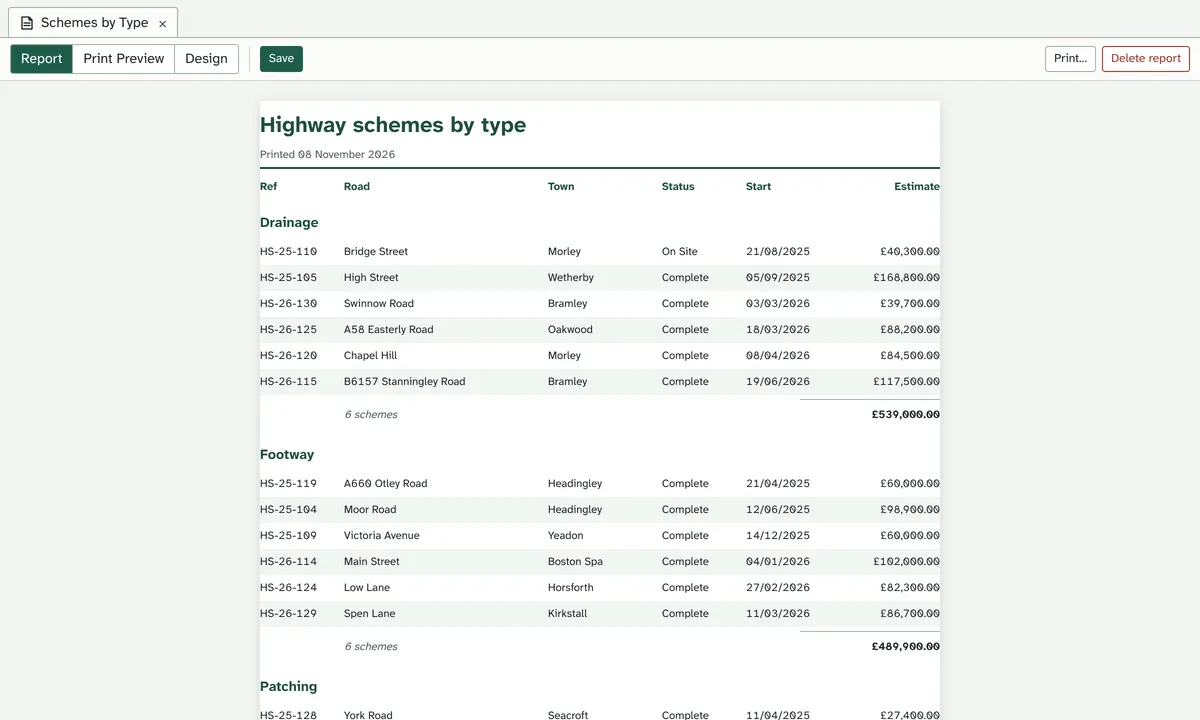
Lay out a report in Access's sections, group and total it in the Group, Sort, and Total pane, then check the pages in Print Preview before printing.
- Report Header and Footer, Page Header and Footer, and a header and footer for each group
- Group by value, first letters, ranges, or dates by week, month, quarter or year
- Sum, Average, Count, Max and Min in every group footer, plus Running Sum and Hide Duplicates
- A4, A3, A5, Letter or Legal, portrait or landscape; print, or save as PDF
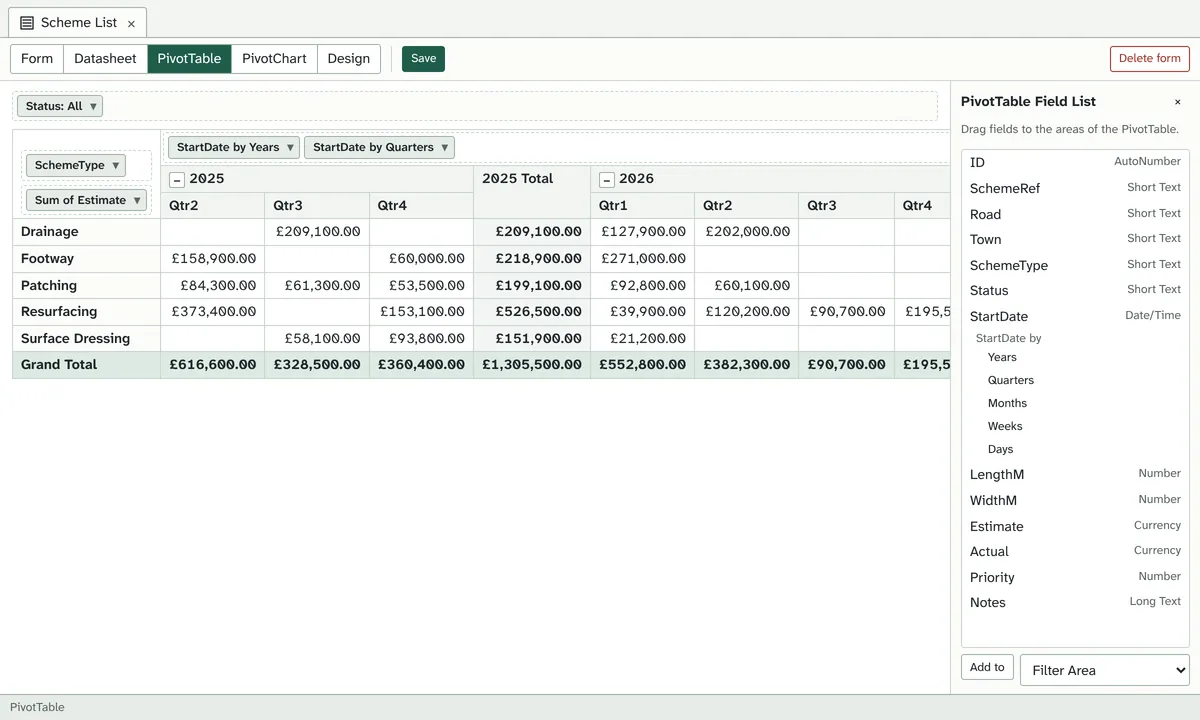
PivotTable and PivotChart, back again
Access 2013 removed them. In Web Access Builder they're form views again: drag fields to rows, columns and totals, group dates by year, quarter or month, then switch to a chart of the same layout.
- Sum, Count, Average, Min, Max, StDev and Var, with subtotals and grand totals
- Show As a percentage of the row, column or grand total
- Column, bar, line, area, pie, doughnut and scatter charts, stacked or 100%
- Totals are worked out by the database, so large tables stay quick
VBA, with the debugger you're used to
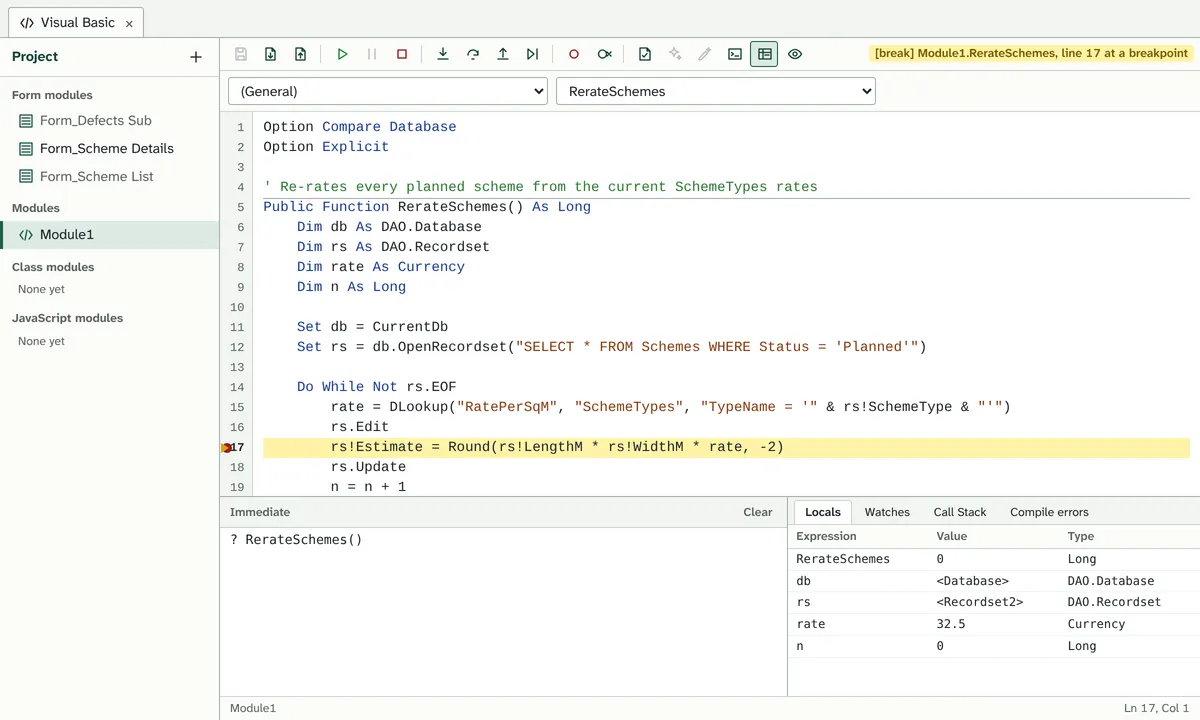
Open the code window and it's the VBA editor: a module behind each form, standard and class modules, IntelliSense as you type, and breakpoints, stepping, Locals, Watches and the Immediate window.
- Form and control events,
Me,DoCmd,MsgBoxandInputBox DLookup,DCountand DAO recordsets:Edit,AddNew,Update,FindFirst- Compile errors as VBA shows them: “Compile error: Expected: Then or GoTo”
- Explain Error and Fix Error: AI says what went wrong and offers a fix you can apply
- References for statistics, UK bank holidays and British National Grid coordinates
Watch it in use
What changes when it's on the web
You design the same way. What's different is everything after that: getting it to people, keeping them up to date, and keeping the data safe.
| With desktop Access | With Web Access Builder |
|---|---|
| Install Access or the Runtime on every PC | Open a link in any modern browser, on Windows, Mac or a tablet |
| Split the database, and keep the back end on a shared drive | One database on the server. There's nothing to split or copy round |
| Send everyone a new front end after each change | Save a change and everyone has it next time they open the form |
| VPN or remote desktop to work from home | Sign in from anywhere over HTTPS |
| Anyone with the file can open Design view | Admins design. Users open what you've built and work with the data |
| Locked or corrupted .accdb files | SQLite on the server, with Back Up Database and Compact and Repair |
And a few things Access never had
- On Render
- An event that runs as each record's copy of a control is drawn, so code can colour rows in a continuous form.
- JavaScript modules
- In place of Windows DLLs: write a function, export it, and call it from VBA. It runs in a sealed sandbox with no network.
- Built-in libraries
- UK bank holidays and working days, British National Grid and OS grid references, chainage along a line, and statistics, ready to tick in References.
Bring your database across
Moving an existing Access application is mostly familiar work, done once.
Import the tables
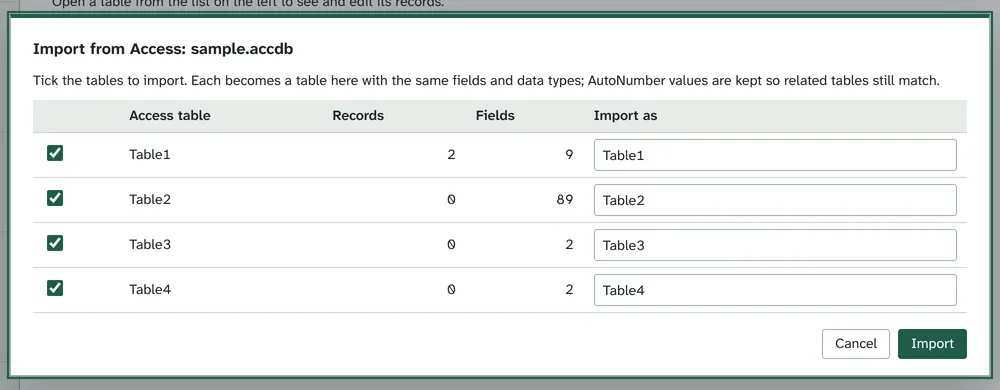
Pick your .accdb or .mdb and tick the tables. Field types come with them, and AutoNumber values are kept so related records still match.
Rebuild queries, forms and reports
In the same Query Design grid, form designer and report designer. Most of it is drag, drop and set properties, as you did the first time.
Paste in your VBA
Compile tells you what needs changing, such as file access or a
Declarethat a web page can't do.Add your users
Give each person a sign-in as an admin or a user, then send them the link.
Why I built it
I've used Access since its earliest versions. I've built on features, only to see them withdrawn. I've waited for new ones, and been disappointed. And we've all been told that VBA on the web isn't possible.
So here is Access, reimagined for the web: the features we lost, brought back, and VBA with the Access object model running in the browser, improved along the way.
It's taken a while, and I hope you like it. Web Access Builder is still in active development, so if it's useful to you, please consider buying me a coffee.
 Simon Wilson
Still to come
- Importing forms, queries, reports and code from an .accdb
- Subreports, Can Grow and Can Shrink, and report events
- UNION and crosstab queries
- Connections to SQL databases outside Web Access Builder
- Scheduled backups to cloud storage
Get your own instance
We'll set up Web Access Builder for your team at its own web address, with its own database. Tell us a little about what you want to build and we'll reply by email.
Questions
Is this Microsoft Access?
No. Web Access Builder is an independent product that works the way Access does. It runs in a browser, doesn't need Access installed, and isn't made by or connected with Microsoft.
Can I open my .accdb file in it?
You import the tables from it, with their field types and AutoNumber values. For now, queries, forms, reports and code are rebuilt in Web Access Builder's own designers, which work like Access's. Importing those from the .accdb is on the way.
Will my VBA run?
Much of it, as written: form and control events, Me, DoCmd, MsgBox, DLookup and DCount, DAO recordsets, error handling and class modules. Things a web page can't do, such as Shell, file access, Windows DLLs and automating Excel, are flagged when you compile. JavaScript modules stand in for DLLs.
Does it do reports?
Yes: grouping, totals, page numbers and Print Preview with page size, margins and orientation. Print them, or save them as PDF from the print dialog. Subreports and report events are next.
Where is our data kept?
In a SQLite database on the server that runs your instance. Admins can download a complete copy at any time with Back Up Database.
Who can change the design?
Only admins. They design tables, queries, forms and code, and manage who can sign in. Users open what's been built and work with the data, and can't open Design view.